
What Is Split Tunneling?
Split tunneling is a VPN feature that lets you choose which applications or traffic routes through the encrypted VPN tunnel and which uses your regular, direct internet connection. Instead of forcing all your device's traffic through the VPN, split tunneling gives you granular control over what is protected and what is not. This feature is offered by many leading VPN providers and can significantly improve your overall internet experience when used correctly.
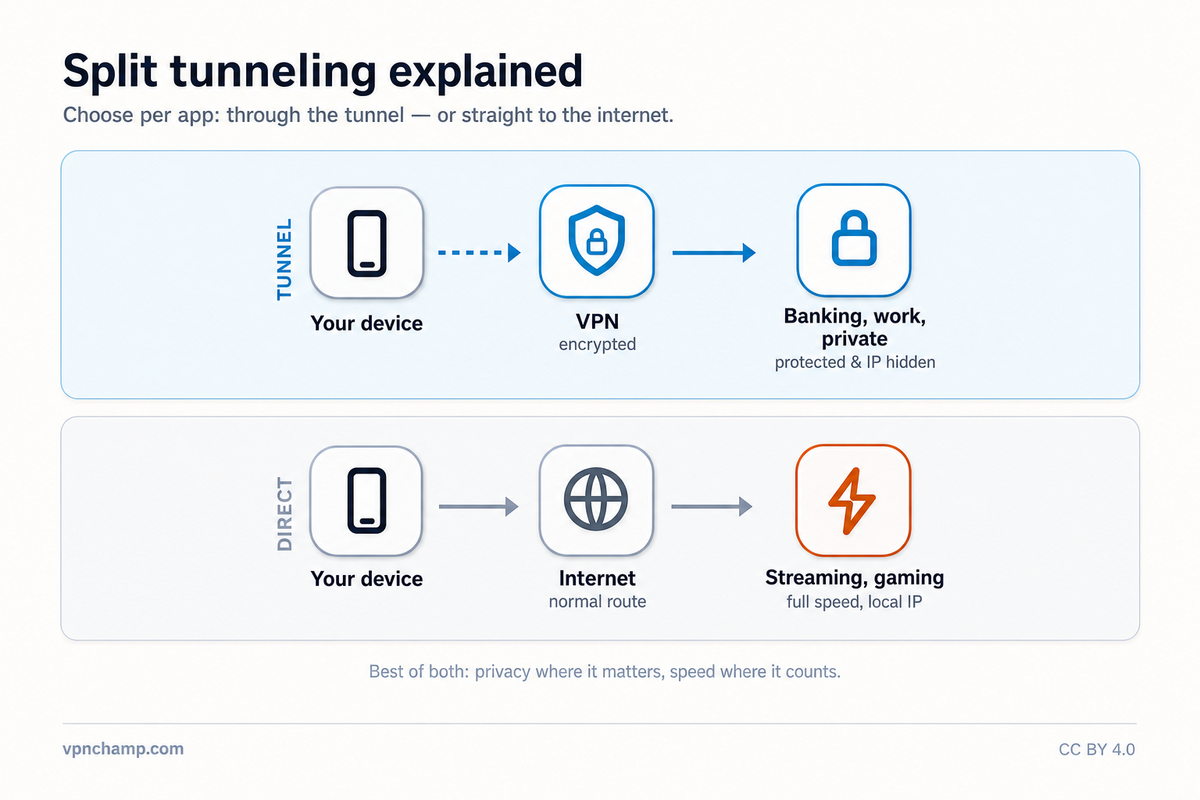
How Split Tunneling Works
The technology works by creating routing rules at the network level on your device. When split tunneling is enabled, the VPN app intercepts outgoing network requests and checks them against your configured rules. Traffic from apps or to destinations you have marked for VPN protection is encrypted and sent through the VPN tunnel. Everything else bypasses the VPN and goes directly through your regular internet connection. Most VPN apps offer two modes: inclusion-based (only specified apps use the VPN) and exclusion-based (everything uses the VPN except specified apps).
Benefits of Split Tunneling
The benefits of split tunneling are significant. First, it preserves bandwidth by only encrypting traffic that needs protection, leaving bandwidth-hungry activities like video streaming or large downloads on the faster direct connection. Second, it allows access to local network devices like printers, NAS drives, and smart home devices that might be unreachable when all traffic routes through a distant VPN server. Third, it enables you to access location-dependent services like local banking websites with your real IP while simultaneously protecting sensitive browsing with the VPN.
Security Risks to Consider
However, split tunneling does introduce security considerations. Any traffic that bypasses the VPN is completely unprotected, meaning your ISP can see that activity and your real IP address is exposed to those services. If an application you excluded from the VPN tunnel makes DNS requests, those queries could leak information about your browsing activity. There is also the risk of misconfiguration, where you might accidentally route sensitive traffic outside the VPN tunnel. Split tunneling reduces the overall security posture compared to routing everything through the VPN.
When to Use Split Tunneling
Split tunneling is most useful in specific scenarios. Remote workers can route work applications through a corporate VPN while keeping personal browsing on the direct connection. Users who need to access local network services can exempt those connections while keeping their web browsing protected. Torrent users can route only their torrent client through the VPN while using their full connection speed for everything else. Gamers can protect voice chat applications while keeping game traffic on the low-latency direct connection.
To set up split tunneling, open your VPN app's settings and look for the split tunneling option (sometimes called "app-based routing" or "per-app VPN"). Add the applications you want to include or exclude from the VPN tunnel. Test your configuration by checking your IP address in both a VPN-protected browser and an excluded browser. They should show different IP addresses if split tunneling is working correctly. Remember that split tunneling is a convenience feature that trades some security for flexibility, so use it thoughtfully.