How a VPN Works
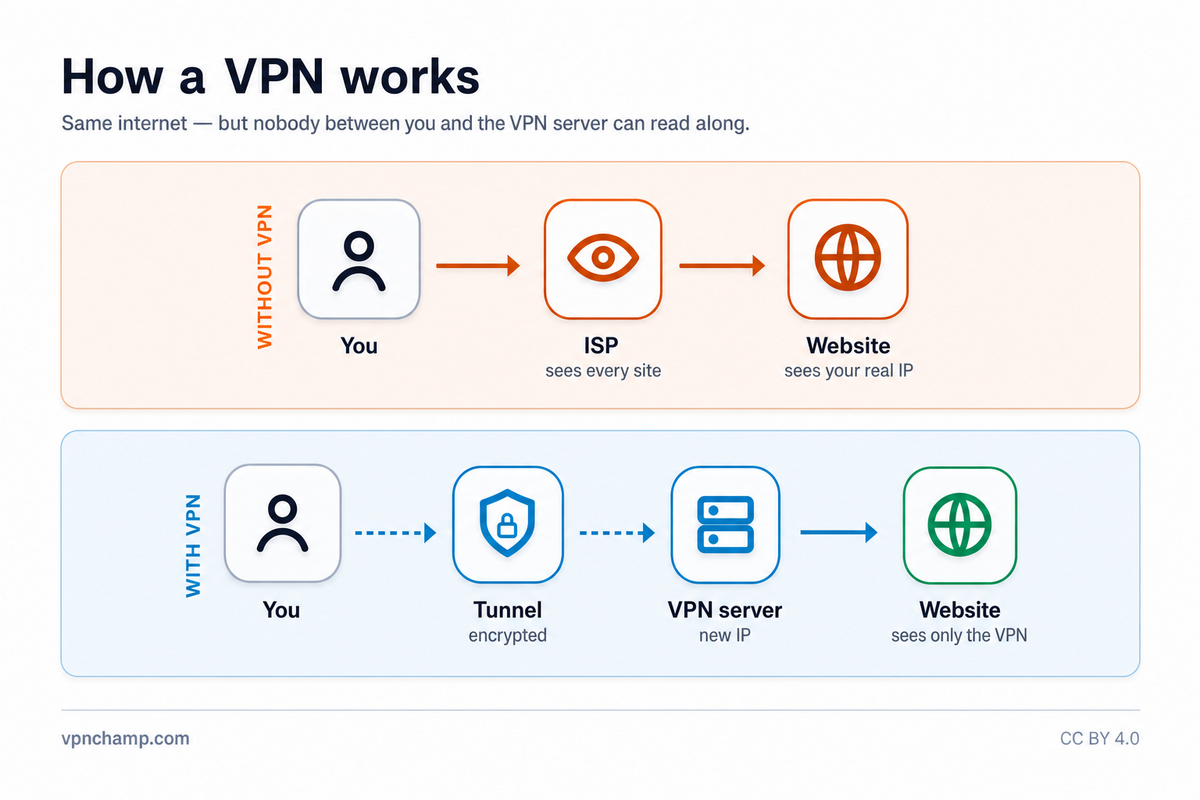
A Virtual Private Network (VPN) is a technology that creates a secure, encrypted connection between your device and a remote server operated by a VPN provider. When you connect to a VPN, all of your internet traffic is routed through this encrypted tunnel, effectively hiding your online activity from your internet service provider (ISP), hackers, and other third parties who might be monitoring your network.
The Encryption Tunnel
The way a VPN works is straightforward. When you activate a VPN app on your device, it establishes an encrypted connection to one of the VPN provider's servers located around the world. Your data is encrypted before it leaves your device, travels through your ISP's network in an unreadable format, and is only decrypted when it reaches the VPN server. From there, the VPN server forwards your requests to the websites and services you want to access, acting as a middleman between you and the internet.
Why Use a VPN?
Encryption is the backbone of VPN security. Most reputable VPNs use AES-256 encryption, the same standard used by governments and military organizations worldwide. This level of encryption would take billions of years to crack with current computing technology. Combined with secure protocols like OpenVPN or WireGuard, VPNs create a virtually impenetrable shield around your data as it traverses the internet.
Common VPN Use Cases
People use VPNs for a variety of reasons. Privacy-conscious users rely on VPNs to prevent ISPs from tracking and selling their browsing history. Remote workers use VPNs to securely access company resources from home or public networks. Travelers use VPNs to access services and content from their home country while abroad. Additionally, VPNs help protect sensitive data when using public Wi-Fi networks at airports, cafes, and hotels, where unencrypted connections can be easily intercepted.
Getting Started
Common use cases include streaming geo-restricted content, protecting your identity while torrenting, bypassing internet censorship in restrictive countries, securing online banking sessions, and preventing targeted advertising based on your browsing habits. A VPN essentially gives you a new IP address from the server location you choose, making it appear as though you are browsing from that location.
Getting started with a VPN is simple. Choose a reputable provider, download their app for your device, log in, and connect to a server. Most modern VPN apps are designed for ease of use with one-click connection. Within seconds, your entire internet connection is secured and your real IP address is hidden from the websites you visit.