
Why VPNs Affect Speed
VPN speed is one of the most common concerns for users, and for good reason. A VPN adds encryption overhead and routes your traffic through an intermediary server, both of which can reduce your connection speed. However, with the right settings and approach, you can minimize the performance impact and maintain fast, reliable connections. Understanding why speed drops occur is the first step toward optimizing your VPN experience.
Choosing the Right Server
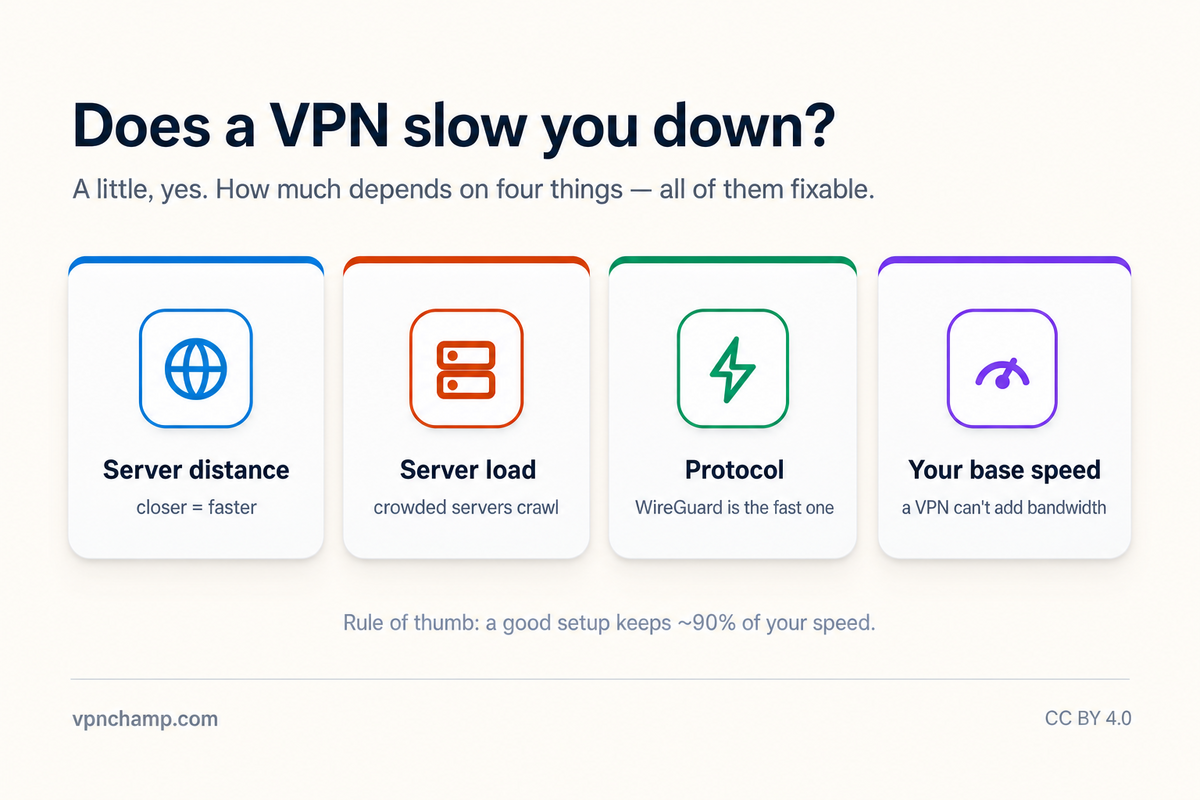
Server selection is the single most impactful factor in VPN speed. The physical distance between you and the VPN server directly affects latency and throughput. Choose servers that are geographically close to your actual location whenever possible. If you need to connect to a distant server for geo-unblocking, look for servers that are not overloaded. Many VPN apps display server load percentages or ping times, helping you identify the fastest available option. Some apps also offer a quick-connect feature that automatically selects the optimal server based on your location.
Protocol Selection for Speed
Your choice of VPN protocol significantly affects speed. WireGuard consistently outperforms other protocols in speed tests, often delivering throughput within 5-10% of your unencrypted connection. OpenVPN over UDP is faster than OpenVPN over TCP but may be less reliable on unstable networks. IKEv2 offers a good balance of speed and stability, particularly on mobile devices. If your VPN app supports it, experiment with different protocols to find the one that delivers the best speed for your specific network conditions and ISP.
Hardware and Software Tweaks
Several hardware and software adjustments can improve VPN performance. Ensure your base internet connection is fast and stable before connecting to the VPN. Wired Ethernet connections are more reliable than Wi-Fi for VPN use. Close bandwidth-heavy background applications and disable automatic updates while you need maximum speed. On desktop systems, make sure your network adapter drivers are up to date. Some users find that changing their DNS settings to a fast public resolver (while still using the VPN tunnel) can improve page load times.
Troubleshooting Slow Connections
If you are experiencing consistently slow VPN speeds, there are several troubleshooting steps to try. First, run a speed test both with and without the VPN to establish a baseline. Try connecting to multiple servers in different locations. Restart the VPN app or switch protocols. Check if your ISP is throttling VPN traffic by testing during off-peak hours. Some ISPs actively slow down encrypted connections, in which case using obfuscation or stealth protocols can help bypass this throttling. If problems persist, contact your VPN provider's support team, as they may have server-specific recommendations.
For specific activities that demand high speeds, consider using split tunneling to route only certain traffic through the VPN. This lets bandwidth-intensive applications like video calls or large downloads use your direct connection while sensitive browsing remains protected. Many VPN providers also offer specialty servers optimized for specific use cases like streaming, gaming, or P2P, which can provide better performance than general-purpose servers.