
What Is a VPN Kill Switch?
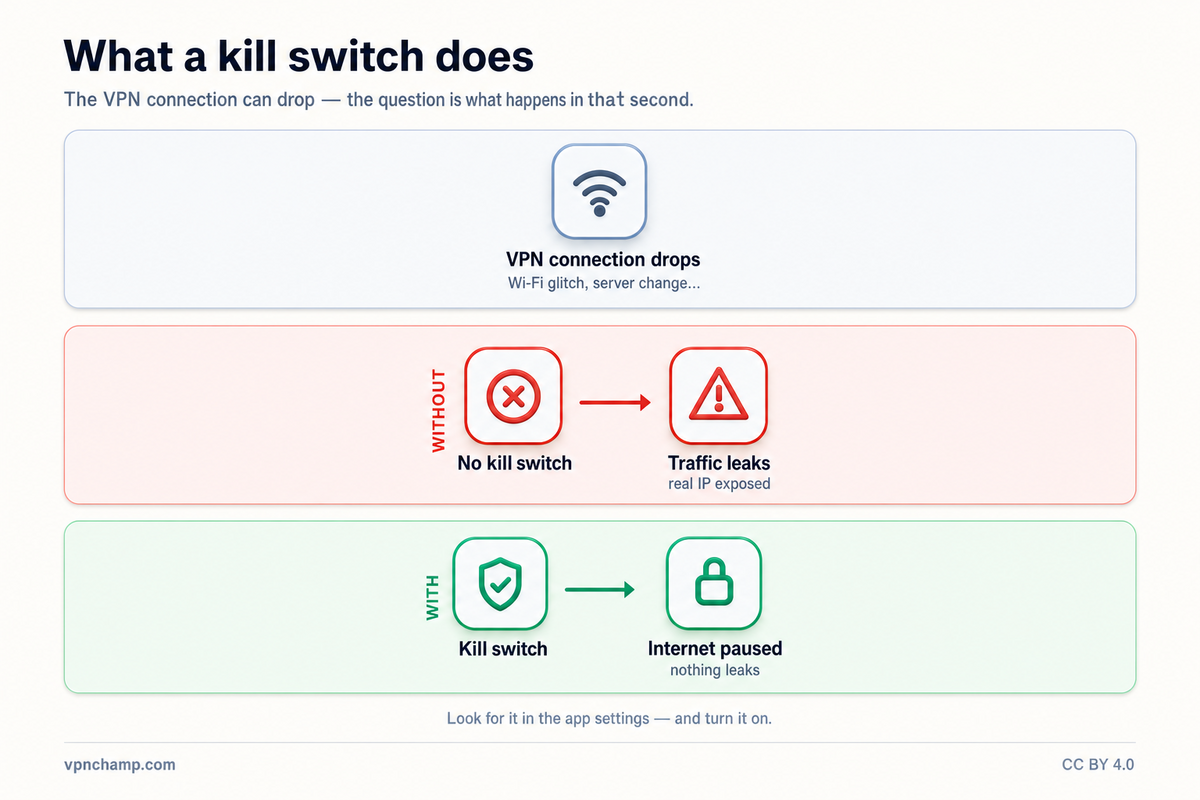
A VPN kill switch is a critical security feature that automatically blocks all internet traffic from your device if the VPN connection unexpectedly drops. Without a kill switch, a VPN disconnection would immediately expose your real IP address and unencrypted traffic to your ISP and any other observers on your network. This brief exposure window, even if only lasting seconds, can be enough to reveal your identity, browsing activity, or the source of your downloads.
How Kill Switches Work Technically
Kill switches work by monitoring the VPN tunnel connection and implementing firewall rules at the operating system level. When the kill switch detects that the VPN connection has dropped, it instantly activates firewall rules that block all outbound internet traffic except what is needed to re-establish the VPN connection. This happens in milliseconds, typically before any unprotected data packets have a chance to leave your device. The block remains in place until the VPN reconnects successfully or you manually disable the kill switch.
Types of Kill Switches
There are two main types of kill switches: application-level and system-level. An application-level kill switch only blocks internet access for specific applications you designate, such as your web browser or torrent client, while allowing other apps to continue using the unprotected connection. A system-level kill switch blocks all internet traffic on the entire device when the VPN drops. System-level kill switches provide stronger protection but can be disruptive, while application-level switches offer more flexibility.
Why Every VPN User Needs One
A kill switch is essential for anyone who uses a VPN for privacy or security purposes. VPN connections can drop for many reasons: server maintenance, network instability, Wi-Fi switching, computer waking from sleep, or ISP interruptions. Without a kill switch, each of these events creates a window where your real IP address is visible to websites, your ISP can see your traffic, and your torrent swarm peers can identify you. For activities like torrenting, accessing sensitive information, or browsing in countries with internet censorship, a kill switch is non-negotiable.
Testing Your Kill Switch
To test whether your kill switch is working correctly, connect to your VPN and verify your protected IP address. Then, simulate a VPN disconnection by manually terminating the VPN process in Task Manager (Windows) or Activity Monitor (macOS), or by temporarily blocking the VPN server's IP address in your firewall. If the kill switch is functioning properly, you should immediately lose all internet connectivity. Try loading a website or checking your IP address, and neither should work until you reconnect the VPN.
Most reputable VPN providers include a kill switch in their apps, but it is not always enabled by default. Check your VPN app's settings and ensure the kill switch is turned on. Some apps label it differently, such as "Network Lock" (ExpressVPN) or "Internet Kill Switch" (NordVPN). If you are using a manual VPN configuration without an app, you can set up a kill switch manually using operating system firewall rules, though this requires more technical knowledge.